
Maintenance work done by vetted local pros — not just tracked.
Nuvex Nova is where you send the repair, not just where you log it. Post a job with an upfront price, a pro who’s passed a background check and a trade assessment claims it, and you follow it through to sign-off. Your payment stays in escrow until you approve the work.
Work-order software
- Organizes the vendors you already have
- You still find, call and chase someone for each job
- Payment and proof of work handled separately
Nuvex Nova
- Supplies the pros — background-checked and trade-assessed
- Post the job once; a pro claims it
- Payment held in escrow until you approve the work
How it works
One turnover repair, start to finish
A tenant moves out of Unit 4B and the bedroom wall needs patching and paint. Here’s that job in Nuvex Nova.
- 1Request
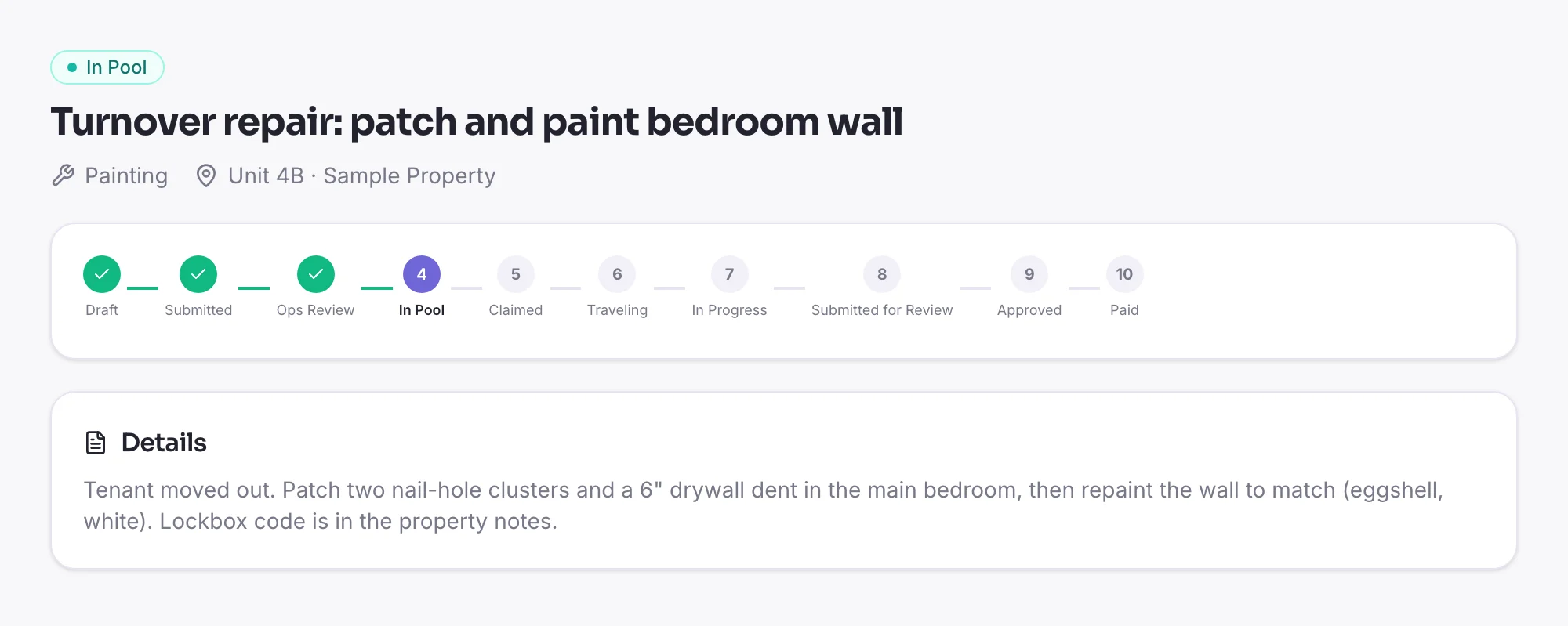
Request the turnover repair
Describe the job, pick the property and unit, and see the price before you book. The request goes through a quick ops review, then into the pool.
- 2Claim
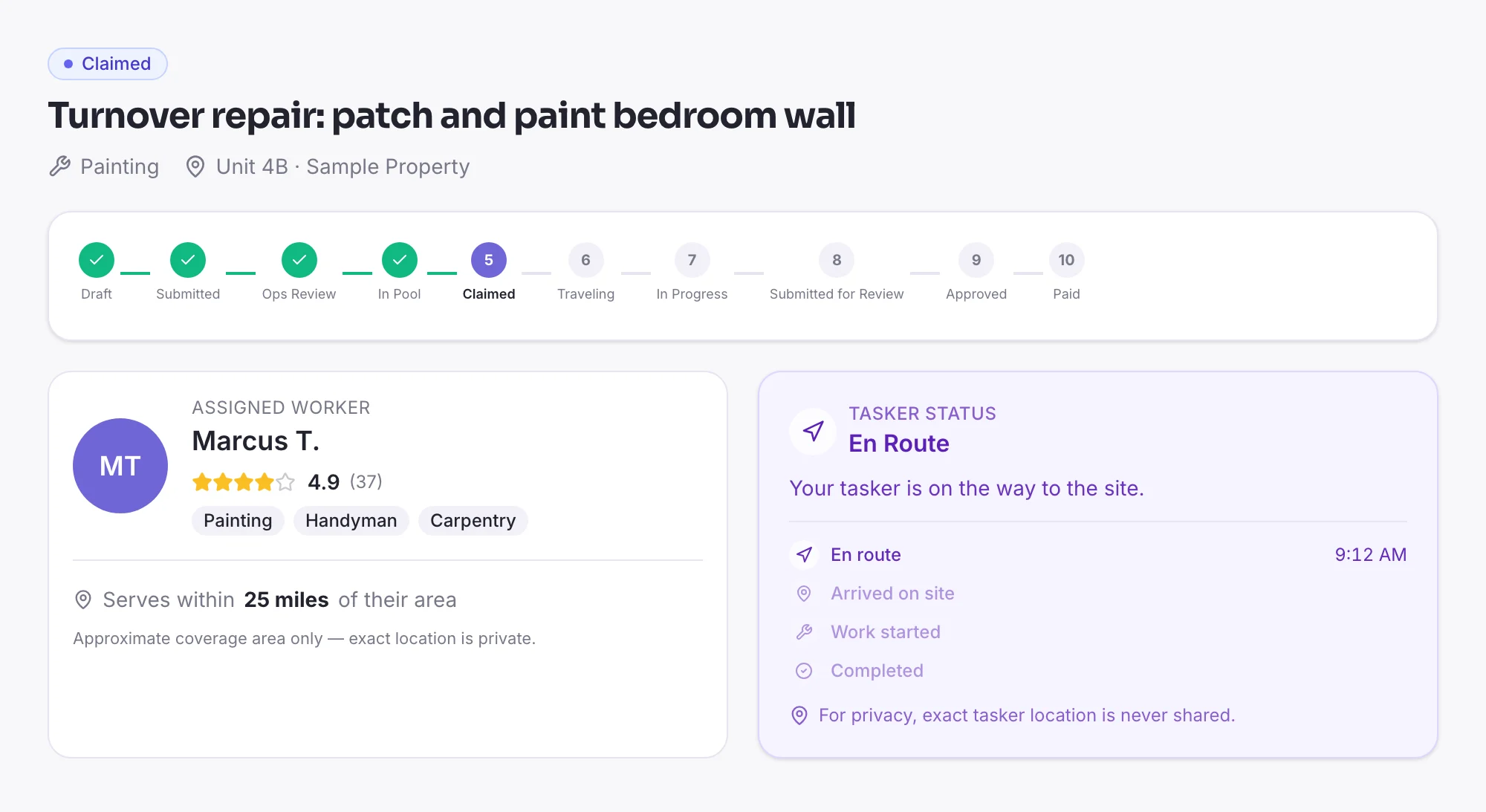
A vetted pro claims it
The job goes live to pros in that trade who've passed a background check and a trade assessment. When one claims it, you see who's coming, their rating, and when they're on the way.
- 3Track
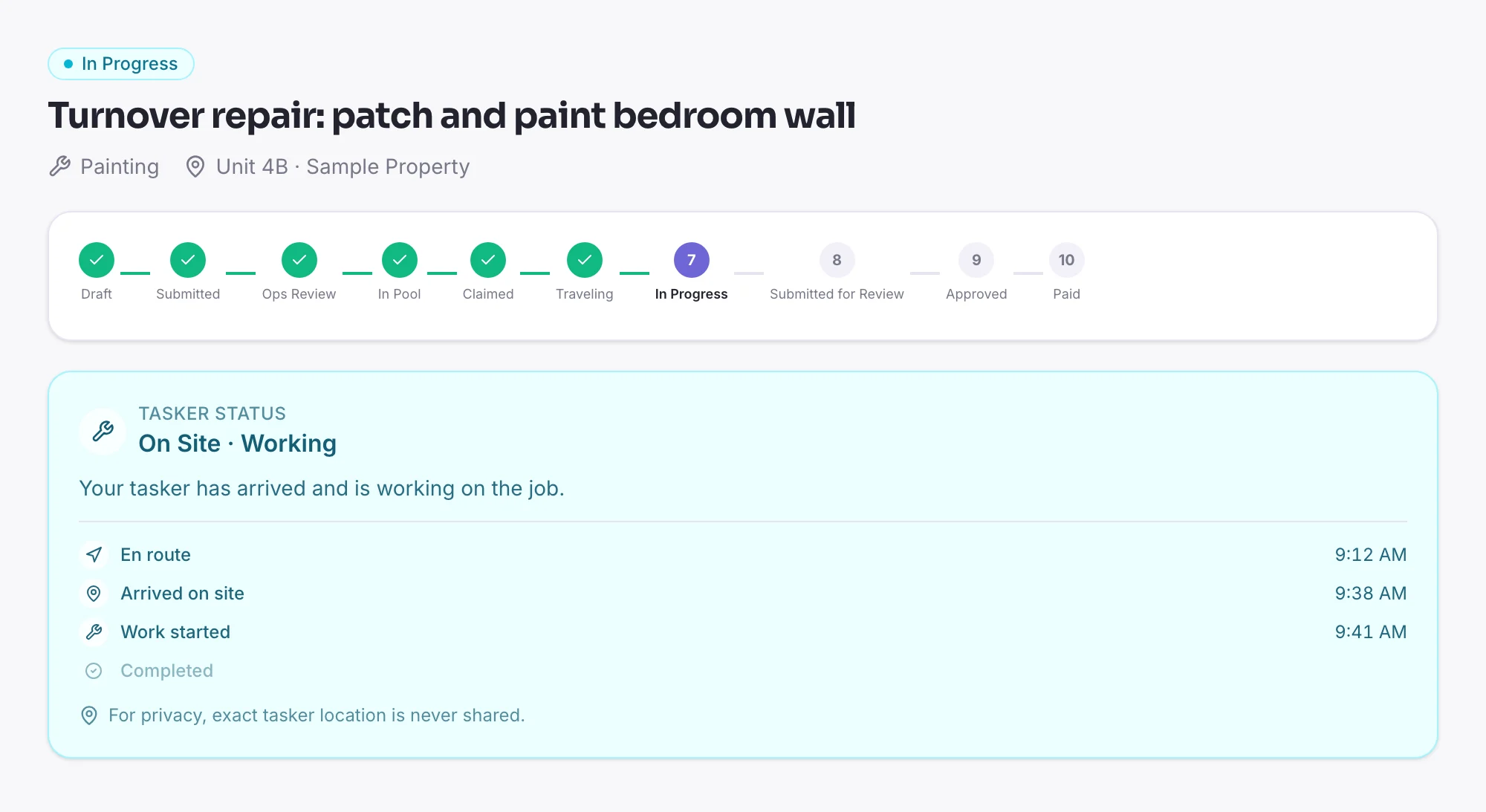
Track progress on site
Arrival and start times are recorded as they happen, with check-in confirmed against the job's location. You follow the job without chasing anyone for an update — and the pro's exact location is never shared.
- 4Approve
Review the completed work
The pro submits completion notes and photos. Approve it and payment is released from escrow; flag a problem and it goes to dispute instead. A redo can be requested within 7 days.
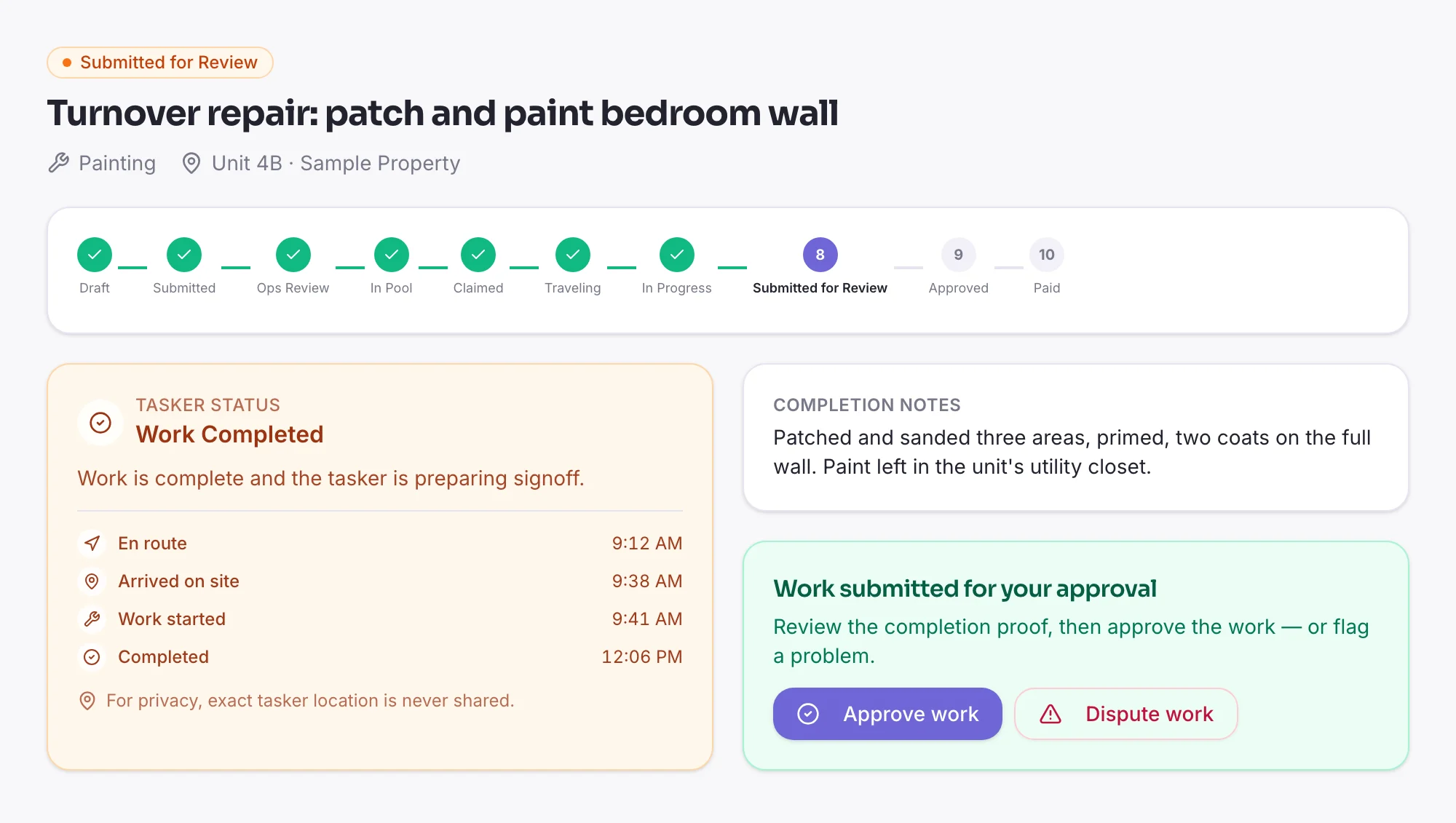
Screens from the Nuvex Nova client app, shown with a sample job. The pro, unit and times are illustrative.
What it takes off your plate
No vendor list to build
Skilled trades are hard to book. You don't need your own bench of contractors — the job goes out to qualified pros nearby in that trade, and the first to claim it takes it.
Licensed trades, checked
For electrical, plumbing, HVAC, roofing and pest control, a pro can't claim the job until ops have verified their license — from the state the job is in — and their liability insurance.
No surprise invoices
You see the price before you book. If a job needs more time than planned, the extra is sent to you to approve or decline before it's added.
A record for every job
Arrival and finish times, completion notes and photos stay on the job, with a PDF receipt to download — ready for an owner, a board or your books.
Where teams use it
Rental turnovers
Between tenants: patch and paint, fixture swaps, a deep clean, junk haul-away. Book each trade against the unit and see every job's status in one list.
Routine maintenance
Filter changes, landscaping, pressure washing, pest treatments. Set a job to repeat weekly, every two weeks or monthly, and ask for the same pro each time.
HOA and common areas
Hallway lighting, a broken gate, lobby touch-ups, pool-deck washing. Every job keeps its own record — times, notes and photos — to show the board.
Want to see it on your properties?
Book a demo and we’ll walk through your properties, your recurring work, and what your first jobs would look like.